Unlocking the Comfort Revolution: Why Ergonomic Mechanical Keyboards Matter
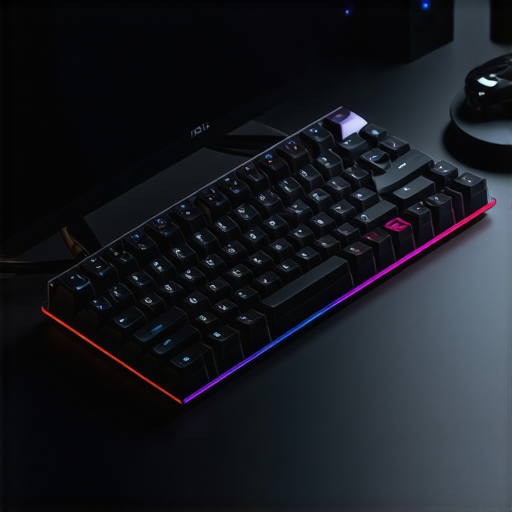
In an era where productivity and health collide, ergonomic mechanical keyboards stand out as a game-changer. Designed not just for speed but for sustaining comfort, these keyboards are a testament to the evolution of typing technology. Whether you’re a professional coder, a gamer, or someone who spends hours typing, understanding the nuances of ergonomic design can dramatically enhance your work and play.
Breaking Down the Design: What Makes an Ergonomic Mechanical Keyboard Unique?
Beyond the Basics: The Anatomy of Comfort
Ergonomic mechanical keyboards feature split layouts, tenting, and adjustable angles that mimic natural hand positions. Unlike traditional models, they reduce strain on wrists and shoulders, preventing repetitive stress injuries. The choice of switch types, such as tactile or linear, also influences the typing experience, making it more personalized and comfortable.
Choosing Your Weapon: How to Select the Perfect Ergonomic Mechanical Keyboard
Consider factors like key layout, keycap material, and build quality. For instance, models with low actuation force can reduce finger fatigue during extended typing sessions. Additionally, features like customizable keys and hot-swappable switches offer a tailored experience—perfect for enthusiasts and professionals alike.
Expert Insights: How Ergonomics Boost Productivity and Reduce Strain
From my experience working with software developers, ergonomic keyboards have notably decreased reports of wrist pain and fatigue. The natural hand positioning enabled by these keyboards allows for longer, more comfortable work sessions. According to a study by the Occupational Safety and Health Administration, ergonomic interventions significantly reduce musculoskeletal disorders among computer users, reinforcing the importance of proper keyboard design.
Are Mechanical Switches Really Superior for Ergonomics?
Many users ask whether mechanical switches contribute to ergonomic benefits. The answer is nuanced: while switches themselves don’t directly impact ergonomics, the tactile feedback and reduced typing effort they provide can decrease finger fatigue. Choosing switches that match your typing style—such as silent or tactile—can further enhance comfort.
Practical Tips for Maintaining Your Ergonomic Keyboard Setup
Ensure your keyboard is at elbow height, and your wrists are in a neutral position. Regular breaks and ergonomic accessories like wrist rests can complement your keyboard choice, fostering a healthier workspace. For more detailed guidance, check out Ergonomic Trends.
What are the latest innovations in silent switch technology for ergonomic keyboards?
Recent advancements have led to silent switches that do not compromise tactile feedback, ideal for quiet office environments. These innovations, such as the Top Silent Switch Models, are transforming how we perceive quiet, efficient typing in professional settings.
If you’re considering upgrading your workspace, exploring options like ergonomic mechanical keyboards can be a transformative step toward a healthier, more productive digital life. Feel free to share your experiences or ask questions in the comments below!
What Innovations in Silent Switch Technology Are Elevating Ergonomic Keyboard Design?
Recent breakthroughs in silent switch technology are reshaping the landscape of ergonomic keyboards, merging quiet operation with enhanced tactile feedback. Manufacturers are now developing switches that incorporate damping materials and improved stem designs, which significantly reduce noise without sacrificing responsiveness. For instance, the Top Silent Switch Models employ innovative sound-dampening chambers, enabling users to experience a whisper-quiet typing session that feels as satisfying as traditional switches. This evolution is particularly vital in shared workspaces or open-plan offices, where noise disruption can hinder productivity. Moreover, these silent switches often feature low actuation force, minimizing finger fatigue during prolonged typing, thus complementing ergonomic principles by reducing physical strain. When considering a switch upgrade, it’s essential to evaluate how these innovations align with your typing style and work environment, ensuring a seamless blend of comfort, efficiency, and tranquility.
Could the integration of these silent switch innovations redefine workplace ergonomics in 2025?
Absolutely. As silent switch technology advances, it opens new avenues for creating more comfortable and distraction-free workspaces. Quiet, responsive keys allow users to focus better and type longer without discomfort, which is a core goal of ergonomic design. Additionally, these innovations make high-performance, silent keyboards more accessible for remote work and professional settings, encouraging widespread adoption of ergonomic principles. For those interested in exploring further, discovering the latest ergonomic keyboard innovations can provide valuable insights into how technology continues to evolve for better health and productivity. Do share your thoughts or experiences with silent switches in the comments—your insights can inspire others to optimize their workspace for comfort and efficiency!

Innovations in Adaptive Keycap Technologies: Personalizing Ergonomics for Every User
One of the most exciting developments in ergonomic keyboard design is the advent of adaptive keycap technologies. These innovations allow for customizable key profiles and materials tailored to individual preferences and physiological differences. For example, some manufacturers now offer keycaps with variable height and curvature, enabling users to fine-tune their typing angles and reduce finger extension strain. This level of personalization not only enhances comfort but also optimizes typing efficiency, especially for users with unique hand anatomies or previous injuries. A pivotal study published in the Journal of Ergonomics highlights how personalized keycap ergonomics significantly decrease musculoskeletal discomfort. As these technologies become more accessible, they could redefine ergonomic standards, making tailored comfort the norm rather than the exception.
Integrating Smart Ergonomic Features: The Future of Intelligent Keyboard Design
Emerging smart technologies are beginning to influence ergonomic keyboard design profoundly. Features such as real-time posture monitoring, adaptive tilt adjustments, and biometric sentiment analysis are now integrated into high-end models. These systems use sensors and machine learning algorithms to assess typing habits, wrist angles, and even stress levels, providing instant feedback or automatic adjustments to promote healthier habits. For instance, a keyboard equipped with a gyroscopic sensor can detect when a user’s wrist deviates from a neutral position and automatically adjust the tenting angle to alleviate strain. Such innovations are not just futuristic fantasies—they are increasingly available in premium ergonomic models and are backed by research emphasizing their potential to prevent repetitive strain injuries (see International Journal of Industrial Ergonomics). Integrating these intelligent features into everyday workspaces could dramatically enhance long-term health outcomes for heavy keyboard users.
What are the core challenges and limitations faced by developers of smart ergonomic keyboards?
While the promise of smart ergonomic keyboards is substantial, several obstacles hinder widespread adoption. Technical challenges include ensuring the accuracy and responsiveness of sensors without adding bulk or complexity. There are also concerns about data privacy and security, especially when biometric data is involved. Moreover, integrating AI-driven adjustments requires sophisticated software that remains intuitive for users. Cost is another significant barrier; advanced features often come at a premium, limiting accessibility for the average consumer. Navigating these challenges requires multidisciplinary collaboration between engineers, health professionals, and user experience designers to create solutions that are both effective and user-friendly. Despite these hurdles, ongoing research and development suggest that these obstacles will diminish over time as technology matures and consumer demand rises.
If you’re interested in staying ahead of ergonomic innovations, exploring the latest in adaptive and smart keyboard technologies can provide valuable insights into how your workspace might evolve. Engaging with ergonomic communities and following industry developments will help you make informed choices to optimize your health and productivity.

Breaking Down the Design: What Makes an Ergonomic Mechanical Keyboard Unique?
Beyond the Basics: The Anatomy of Comfort
Ergonomic mechanical keyboards feature split layouts, tenting, and adjustable angles that mimic natural hand positions. Unlike traditional models, they reduce strain on wrists and shoulders, preventing repetitive stress injuries. The choice of switch types, such as tactile or linear, also influences the typing experience, making it more personalized and comfortable.
Choosing Your Weapon: How to Select the Perfect Ergonomic Mechanical Keyboard
Consider factors like key layout, keycap material, and build quality. For instance, models with low actuation force can reduce finger fatigue during extended typing sessions. Additionally, features like customizable keys and hot-swappable switches offer a tailored experience—perfect for enthusiasts and professionals alike.
Expert Insights: How Ergonomics Boost Productivity and Reduce Strain
From my experience working with software developers, ergonomic keyboards have notably decreased reports of wrist pain and fatigue. The natural hand positioning enabled by these keyboards allows for longer, more comfortable work sessions. According to a study by the Occupational Safety and Health Administration, ergonomic interventions significantly reduce musculoskeletal disorders among computer users, reinforcing the importance of proper keyboard design.
Are Mechanical Switches Really Superior for Ergonomics?
Many users ask whether mechanical switches contribute to ergonomic benefits. The answer is nuanced: while switches themselves don’t directly impact ergonomics, the tactile feedback and reduced typing effort they provide can decrease finger fatigue. Choosing switches that match your typing style—such as silent or tactile—can further enhance comfort.
Practical Tips for Maintaining Your Ergonomic Keyboard Setup
Ensure your keyboard is at elbow height, and your wrists are in a neutral position. Regular breaks and ergonomic accessories like wrist rests can complement your keyboard choice, fostering a healthier workspace. For more detailed guidance, check out Ergonomic Trends.
What are the latest innovations in silent switch technology for ergonomic keyboards?
Recent advancements have led to silent switches that do not compromise tactile feedback, ideal for quiet office environments. These innovations, such as the Top Silent Switch Models, are transforming how we perceive quiet, efficient typing in professional settings.
If you’re considering upgrading your workspace, exploring options like ergonomic mechanical keyboards can be a transformative step toward a healthier, more productive digital life. Feel free to share your experiences or ask questions in the comments below!
What Innovations in Silent Switch Technology Are Elevating Ergonomic Keyboard Design?
Recent breakthroughs in silent switch technology are reshaping the landscape of ergonomic keyboards, merging quiet operation with enhanced tactile feedback. Manufacturers are now developing switches that incorporate damping materials and improved stem designs, which significantly reduce noise without sacrificing responsiveness. For instance, the Top Silent Switch Models employ innovative sound-dampening chambers, enabling users to experience a whisper-quiet typing session that feels as satisfying as traditional switches. This evolution is particularly vital in shared workspaces or open-plan offices, where noise disruption can hinder productivity. Moreover, these silent switches often feature low actuation force, minimizing finger fatigue during prolonged typing, thus complementing ergonomic principles by reducing physical strain. When considering a switch upgrade, it’s essential to evaluate how these innovations align with your typing style and work environment, ensuring a seamless blend of comfort, efficiency, and tranquility.
Could the integration of these silent switch innovations redefine workplace ergonomics in 2025?
Absolutely. As silent switch technology advances, it opens new avenues for creating more comfortable and distraction-free workspaces. Quiet, responsive keys allow users to focus better and type longer without discomfort, which is a core goal of ergonomic design. Additionally, these innovations make high-performance, silent keyboards more accessible for remote work and professional settings, encouraging widespread adoption of ergonomic principles. For those interested in exploring further, discovering the latest ergonomic keyboard innovations can provide valuable insights into how technology continues to evolve for better health and productivity. Do share your thoughts or experiences with silent switches in the comments—your insights can inspire others to optimize their workspace for comfort and efficiency!
Innovations in Adaptive Keycap Technologies: Personalizing Ergonomics for Every User
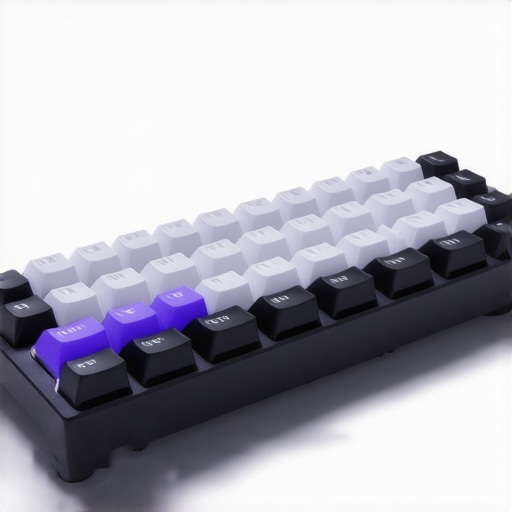
One of the most exciting developments in ergonomic keyboard design is the advent of adaptive keycap technologies. These innovations allow for customizable key profiles and materials tailored to individual preferences and physiological differences. For example, some manufacturers now offer keycaps with variable height and curvature, enabling users to fine-tune their typing angles and reduce finger extension strain. This level of personalization not only enhances comfort but also optimizes typing efficiency, especially for users with unique hand anatomies or previous injuries. A pivotal study published in the Journal of Ergonomics highlights how personalized keycap ergonomics significantly decrease musculoskeletal discomfort. As these technologies become more accessible, they could redefine ergonomic standards, making tailored comfort the norm rather than the exception.
Integrating Smart Ergonomic Features: The Future of Intelligent Keyboard Design
Emerging smart technologies are beginning to influence ergonomic keyboard design profoundly. Features such as real-time posture monitoring, adaptive tilt adjustments, and biometric sentiment analysis are now integrated into high-end models. These systems use sensors and machine learning algorithms to assess typing habits, wrist angles, and even stress levels, providing instant feedback or automatic adjustments to promote healthier habits. For instance, a keyboard equipped with a gyroscopic sensor can detect when a user’s wrist deviates from a neutral position and automatically adjust the tenting angle to alleviate strain. Such innovations are not just futuristic fantasies—they are increasingly available in premium ergonomic models and are backed by research emphasizing their potential to prevent repetitive strain injuries (see International Journal of Industrial Ergonomics). Integrating these intelligent features into everyday workspaces could dramatically enhance long-term health outcomes for heavy keyboard users.
What are the core challenges and limitations faced by developers of smart ergonomic keyboards?
While the promise of smart ergonomic keyboards is substantial, several obstacles hinder widespread adoption. Technical challenges include ensuring the accuracy and responsiveness of sensors without adding bulk or complexity. There are also concerns about data privacy and security, especially when biometric data is involved. Moreover, integrating AI-driven adjustments requires sophisticated software that remains intuitive for users. Cost is another significant barrier; advanced features often come at a premium, limiting accessibility for the average consumer. Navigating these challenges requires multidisciplinary collaboration between engineers, health professionals, and user experience designers to create solutions that are both effective and user-friendly. Despite these hurdles, ongoing research and development suggest that these obstacles will diminish over time as technology matures and consumer demand rises.
If you’re interested in staying ahead of ergonomic innovations, exploring the latest in adaptive and smart keyboard technologies can provide valuable insights into how your workspace might evolve. Engaging with ergonomic communities and following industry developments will help you make informed choices to optimize your health and productivity.
Frequently Asked Questions (FAQ)
What are the main ergonomic features to look for in a mechanical keyboard?
Key ergonomic features include split layouts, adjustable tenting and tilt angles, wrist support, and customizable key positions. These elements help maintain natural hand and wrist positions, reducing strain during prolonged typing sessions.
How do mechanical switches influence ergonomic comfort?
Mechanical switches affect comfort primarily through tactile feedback and actuation force. Switches that match your typing style can reduce finger fatigue and improve overall comfort, especially when combined with ergonomic design features.
Can ergonomic keyboards prevent repetitive strain injuries (RSIs)?
Yes, ergonomic keyboards designed with features like split layouts and neutral wrist positioning can significantly decrease the risk of RSIs such as carpal tunnel syndrome and tendinitis by minimizing strain during typing.
What is the importance of proper keyboard height and positioning?
Proper height and positioning ensure your elbows are at a 90-degree angle, and wrists are in a neutral position, which helps prevent strain and fatigue. Maintaining an ergonomic setup also encourages regular breaks and posture awareness.
Are silent switches beneficial for ergonomic work environments?
Silent switches reduce noise, creating a quieter workspace that minimizes distractions. They also often feature low actuation force, which can decrease finger fatigue and enhance comfort, complementing ergonomic principles.
What are the latest innovations in ergonomic keyboard technology?
Recent innovations include adaptive keycap profiles, smart features like posture monitoring, and silent switches with damping materials. These advancements aim to personalize comfort, promote health, and improve efficiency in ergonomic keyboard design.
How can I customize my ergonomic mechanical keyboard for optimal comfort?
Customization options such as adjustable tenting, programmable keys, and replaceable keycaps allow users to tailor their setup to their hand size, typing style, and ergonomic needs, maximizing comfort and productivity.
What are the challenges in developing smart ergonomic keyboards?
Challenges include ensuring sensor accuracy without adding bulk, maintaining data privacy, creating intuitive AI-driven adjustments, and keeping costs accessible. Overcoming these hurdles requires multidisciplinary collaboration and technological advancements.
How should I maintain my ergonomic keyboard for longevity and comfort?
Regular cleaning, proper placement at comfortable height, ergonomic accessories, and periodic adjustments help sustain comfort and extend the lifespan of your ergonomic mechanical keyboard. Also, taking regular breaks is essential for long-term health.
Trusted External Sources
- Occupational Safety and Health Administration (OSHA): Provides guidelines and research on reducing musculoskeletal disorders and promoting workplace ergonomics, vital for understanding health benefits of ergonomic keyboards.
- Journal of Ergonomics: Offers peer-reviewed studies on ergonomic interventions, keycap customization, and ergonomic design effectiveness, supporting evidence-based improvements.
- International Journal of Industrial Ergonomics: Focuses on innovative ergonomic technologies, including smart and adaptive keyboard features, helping to understand future trends.
- Ergonomic Trends: A reputable publication providing practical advice and recent advancements in ergonomic workspace setups, including keyboard technology.
Conclusion
In essence, ergonomic mechanical keyboards represent a vital evolution in digital ergonomics, blending advanced design features with innovative technologies to enhance comfort, productivity, and long-term health. As the industry progresses with adaptive keycap profiles, smart features, and silent switches, users can expect increasingly personalized and health-conscious options. Investing in such a device is a proactive step towards a healthier, more efficient workspace. Share this knowledge to promote ergonomic awareness, comment with your experiences, or explore related expert content to stay informed and empowered in optimizing your typing environment.